Which Smart Home Hub Fits Your Plainfield Shades
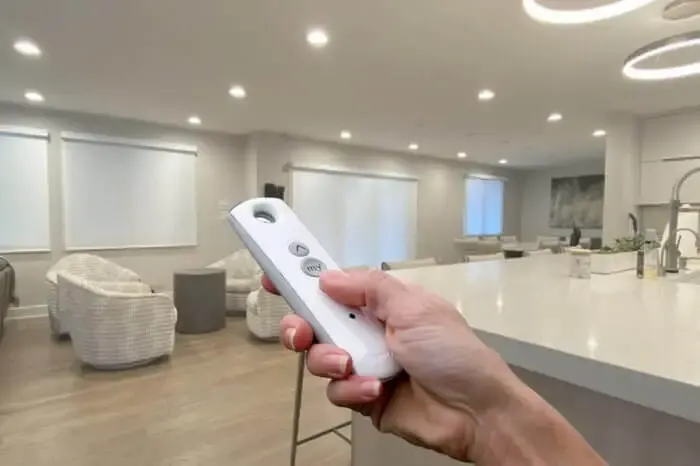
A lot of what determines whether a smart shade setup in Plainfield actually feels smart, versus just being a remote-controlled shade with an app icon, comes down to a few pieces of equipment most people never think about until something does not connect.
How Motorized Shades Actually Work
A motorized shade has a small motor built right into the roller tube, spinning the tube to raise or lower the fabric. That motor gets power one of two ways: a rechargeable battery pack that slides into the tube, or a direct hardwired connection to line voltage through a small power adapter. Both work fine, they just trade off differently on convenience versus install complexity.
The motor also needs a way to receive commands, and that's usually a radio signal, not Wi-Fi directly. A handheld remote talks to the motor over that radio link, and that alone makes a shade "motorized." Calling it "smart" usually means something more: a hub plugged into your router that translates between the motor's radio protocol and your home network, so the shade shows up in an app and can respond to a voice assistant.
Skip the hub and you still get remote control, just not app or voice control. That distinction trips people up more than anything else when they're shopping for Plainfield smart shades.
What Actually Fails in a Smart Shade System
A large Plainfield home with shades spread across multiple floors puts more strain on a single hub than a smaller house does. Signal has to travel further and through more walls, so what works fine in a compact ranch can struggle in a home with a finished basement and a bonus room upstairs.
Rooms far from the router, a detached sunroom or a converted garage, are the most likely to have connectivity trouble first. If a project includes rooms like that, it's worth planning for a second hub or a signal extender from the start rather than waiting to see if it becomes a problem.
Kitchens and rooms with a lot of structural steel or ductwork can also interfere with wireless signal in ways that are hard to predict without just testing it once the shades are actually installed.
Battery Life and Charging in the Real World
The most common "my smart shade stopped working" call turns out to be a dead battery, not a broken motor or a network problem. The shade responds slowly, then not at all, and it looks like a bigger issue than it actually is.
Cold rooms make this worse and confuse the diagnosis further. A shade that's been fine all summer can start acting sluggish once a Plainfield winter sets in, simply because cold temperatures reduce how much power a lithium battery can deliver at once, not because anything broke.
We've also seen solar panels mounted in the wrong spot, behind a curtain or tucked under an eave where it never actually sees direct sun, which defeats the purpose entirely. A solar add-on only helps if it's getting hit by real sunlight for a meaningful part of the day.
Voice Control and the Hub Question
Ask which specific voice platforms the hub supports, by name, not just "smart home compatible" on the box. That phrase gets used loosely, and the honest answer is often one ecosystem fully supported, with the others coming later or not at all. A written list of supported platforms is worth more than a verbal assurance.
Ask whether the hub needs to stay plugged in near your router directly or whether it can sit further away on Wi-Fi. Placement matters more than people expect, especially in a larger Plainfield home where the router lives in a basement far from the windows getting shades. A hub sitting in the wrong closet can undercut an otherwise solid installation.
And ask what a firmware update has historically done to existing scenes and schedules. Hub software updates occasionally reset custom groupings, and a straight answer about how often that's happened is worth more than any feature list.
Power Planning and Backup Control
Retrofitting hardwired power into a finished wall costs more than planning for it during a remodel, since it means opening drywall and fishing wire through it, then patching everything afterward instead of running a line while the wall is already open. If a Plainfield project includes any renovation work, that's the moment to loop in shade wiring even if the shades come later.
A plug-in power adapter avoids that construction cost entirely and is often the more sensible choice for an existing home that isn't otherwise being remodeled, even though it means a small adapter box is visible near the window.
Keypads and extra remotes add a modest cost per unit, but they're worth it as backup control, since losing app access during a router problem is genuinely inconvenient if a physical remote isn't sitting somewhere in the house.
Weighing battery against hardwired, or one ecosystem against another, is easier with actual product in hand rather than a spec sheet. A free in-home measure lets you see and hear a motor running before you commit to a whole-house system.
Frequently Asked Questions
Should I choose battery or hardwired shades?
It depends on how often the shade will be used and how easy it is to run power to that window. A shade that gets adjusted constantly, or one that is hard to reach for charging, is often a better fit for hardwired. A shade used once or twice a day in an easy-to-reach spot works fine on battery.
Does a solar panel really extend battery life?
It can, but only if it gets real direct sun for a meaningful part of the day. A solar add-on mounted on a shaded or north-facing window will not help much, since it needs consistent light to actually offset what the motor is using.
What should I ask before choosing a smart home hub?
Ask exactly which voice platforms it supports by name, not just whether it is labeled smart home compatible, and ask how it performs at a distance from your router, since range varies by hub. A firmware update's track record with existing schedules and scenes is also worth asking about, since that says a lot about how stable the system actually is.
 What Roller and Solar Shades Cost in Plainfield Homes Today
 What a Finished Plainfield Blind Repair Should Look Like